

If you’re tired of the old way of filing and paying taxes in the Philippines, the BIR eFPS could be a good option for you.
eFPS stands for eFiling and Payment System. It lets you take care of your taxes online, from anywhere you have internet. If you like the idea of an easy, paperless way to handle your taxes, this article can help you get started.
Please note: This article is meant to give you a general idea and should not be used as professional advice.
What is eFPS?
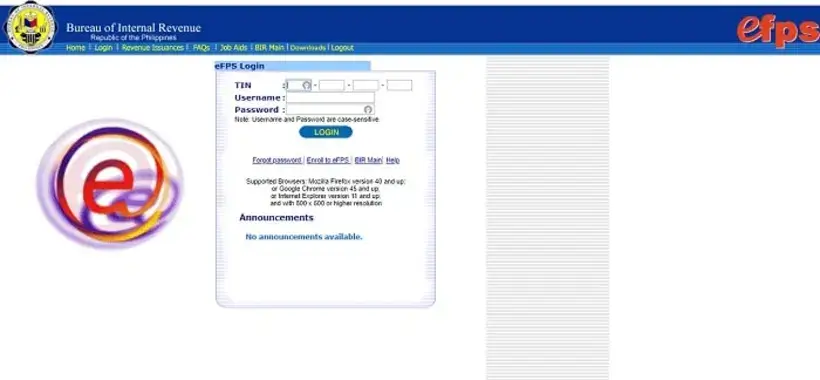
BIR eFPS is an online tool that lets you send in your tax forms and pay your taxes on the internet.
This online service means you don’t have to fill out paper forms or wait in line at the bank to pay your taxes. All you need is a computer and internet connection, and you can take care of your taxes anytime, anywhere through eFPS. You can do this by using the online banking of the bank account you signed up with.
Plus, the eFPS system checks all the details you put in before it sends them to the BIR. This helps prevent mistakes in your tax math, which is a common problem with the old way of filing taxes by hand.
Who is Eligible to Use the eFPS?
Not everyone can use the eFPS service for handling their taxes. Only certain groups of taxpayers are required to use this online service for their tax filing and payments. These groups include:
- People who are part of the Taxpayer Account Management Program (TAMP)
- Those who need to get the BIR-ICC and BIR-BCC
- National Government Agencies
- Licensed Local Contractors
- Businesses that get special tax benefits (like PEZA, BOI, etc.)
- The top 5,000 individual taxpayers
- Companies with paid-up capital stock of P10 million or more
- Companies that use a complete Computerized Accounting System (CAS)
- Government agencies that withhold VAT and Percentage taxes
- Government bidders
- Large taxpayers
- The top 20,000 private corporations
- Insurance companies and stockbrokers
But some taxpayers, like people who freelance or own small businesses, can’t use the eFPS service. These taxpayers should use a different way to file, like doing it by hand or using eBIRForms.
How to Register for the eFPS Service?
If you’re a taxpayer who needs to use the eFPS, you’ll have to sign up online before you can use this system to file and pay your taxes.
If it’s your first time using eFPS, you might face some issues. To fix this, make sure your internet browser is updated. According to BIR, eFPS works well with Google Chrome (version 45 or later), Mozilla Firefox (version 40 or later), and Internet Explorer (version 11 or later). If you’re using a Mac, it also works with Safari.
Also, remember that eFPS won’t work if your browser’s pop-up blocker is turned on. To avoid website issues, turn off your pop-up blocker.
Here’s a simple way to sign up for eFPS:
- Visit the eFPS website.
- Click the ‘Enroll to eFPS’ link.
- Complete the eFPS enrollment form. You’ll have to provide details like your taxpayer and bank account information. Make sure to check all the information you’ve entered.
- When you’re done, click ‘Submit’. You’ll see a pop-up message that confirms your eFPS enrollment has been received.
- You’ll have to wait for an email from BIR to know about your enrollment status. This usually takes anywhere from three to 10 days.
- If your eFPS registration is approved, you’ll get instructions from BIR to activate your account.
After you’ve activated your eFPS account, you can start filing and paying your taxes online.
How to File and Pay Your ITR Through the eFPS?
Here’s a simple step-by-step guide on how to file and pay your income tax return (ITR) using the eFPS:
- Fill out the ITR form that matches your taxpayer status.
- Click the ‘Proceed to Payment’ button found at the bottom of the page.
- Pick a payment method (like Fund Transfer, Tax Debit Memo, or Tax Remittance Advice).
- Provide all the required details in the eFPS payment form and hit ‘Submit’ when finished.
- You’ll be redirected to the online banking page of the bank you previously registered with on eFPS. Here, you can pay your income tax.
- Watch out for a confirmation email from your bank verifying successful e-filing and e-payment.
It’s important to note that the BIR often updates ITR forms, so the most recent version of certain tax returns may not be instantly available on the eFPS.
In such cases, the BIR advises eFPS users to file their ITR manually, or use the eBIRForm facility, and make a payment at any of the BIR-authorized banks.
To see if the most recent version of your ITR form is available, you can visit the Revenue Memorandum Circulars page on the BIR website. The BIR uses this page to announce when updated ITR forms are available on eFPS.