

The eBIRForms system is a great tool for people in the Philippines who don’t use the eFPS tax system. It makes preparing and submitting tax forms easy and reliable. Anyone can use it, even if they don’t have internet access.
The system has two main parts. One is a software you can download to fill out your tax forms offline. It does automatic calculations and checks to make sure everything is correct. The other part is an online system that lets you submit your tax forms over the internet. If you’re late in filing, it calculates any penalties automatically.
But remember, while the eBIRForms system gives a lot of information, it’s not a replacement for advice from a professional.
Who is Eligible to Utilize the eBIRForms System?
The eBIRForms system is a mandatory tool for a variety of non-eFPS taxpayers in the Philippines. This includes accredited tax agents and their client-taxpayers, accredited printers of receipts or invoices, and one-time transaction (ONETT) taxpayers who operate as real estate agents or developers.
Furthermore, taxpayers who need to file a “No Payment” return, local government units (with the exception of barangays), and cooperatives that are registered with the National Electrification Administration and Local Water Utilities Administration are also required to use the eBIRForms system.
However, there are some taxpayers, like self-employed individuals, who are not obligated to use the eBIRForms, but the system is available to them if they choose to file and pay their taxes online.
Who is Not Required to File and Pay Income Tax Returns Through the eBIRForms System?
While the eBIRForms system is designed to streamline tax filing, certain groups are exempted from using it and can choose to file manually. These include senior citizens and persons with disabilities (PWDs) who are filing their return.
Employees juggling two or more employers during the taxable year are also exempted, along with employees who have one employer and have had their income tax correctly withheld but have a spouse who is not qualified for substituted filing.
Additionally, employees who are qualified for substituted filing but prefer to file an income tax return on their own for reasons such as acquiring a loan, meeting an international travel requirement, seeking a promotion (in the case of AFP/PNP), or applying for a scholarship, can also choose to file manually instead of using eBIRForms.
How To File and Pay Income Tax Return (ITR) Using the eBIRForms?
The eBIRForms system is an electronic platform developed by the Bureau of Internal Revenue (BIR) to provide taxpayers with a more convenient way of preparing and filing tax returns. Here’s a step-by-step guide on how to use it.
Filing eBIRForms Offline
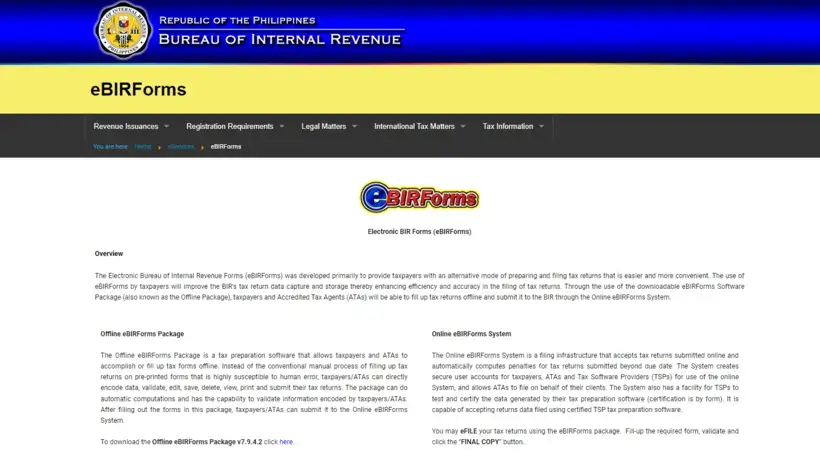
- Access the eBIRForms page: Visit the BIR website homepage and click on the eBIRForms icon to download the offline package in the ZIP file format.
- Extract the files: Once downloaded, extract the files from the zipped folder on your computer.
- Install the eBIRForms package: Right-click on the Offline eBIRForms Package.setup.exe file and click Run as administrator to install the eBIRForms package on your computer.
- Open the BIRForms program: After the installation is complete, locate the “BIRForms” program on your PC and click on it to open.
- Create your user profile: Fill out the Offline eBIRForms Profile Page with the required information.
- Choose the correct ITR form: Select the appropriate ITR for your taxpayer type from the list of BIR forms.
- Fill out the ITR: Click the Fill-up button to display the full image of the ITR you selected. Fill out the appropriate fields on the ITR and click the Validate button.
- Validate the information: If the system detects any blank field or incorrect information, you’ll see a pop-up that asks you to take the necessary action. Once you’ve completed the required step, a message confirming the successful validation will appear.
- Save a copy of your ITR: Click the Final Copy button to save a copy of your ITR to your computer or flash drive.
- Print your ITR: Print three copies of your accomplished ITR.
- Submit your ITR and pay your tax: Go to the nearest authorized agent bank (AAB) under the jurisdiction of the Revenue District Office (RDO) where you’re registered. If there’s no AAB in your area, visit the Revenue Collection Officer or authorized city/municipal treasurer in your RDO. Submit your accomplished ITR and pay your tax due.
- Receive your copy of the stamped and validated ITR: After payment, receive your copy of the stamped and validated ITR and deposit slip from the teller (or Electronic Revenue Official Receipt or eROR if you paid tax in the RDO).
Filing eBIRForms Online
The procedure for e-filing your ITR via eBIRForms is almost the same as the offline filing process. The difference, however, is that after printing your accomplished ITR, you click the Submit button to forward its online version to the BIR. The system will then present you with two options: transmit your ITR via eBIRForms or eFPS. Choose the appropriate e-filing system. Afterward, proceed with the payment of your tax due.