
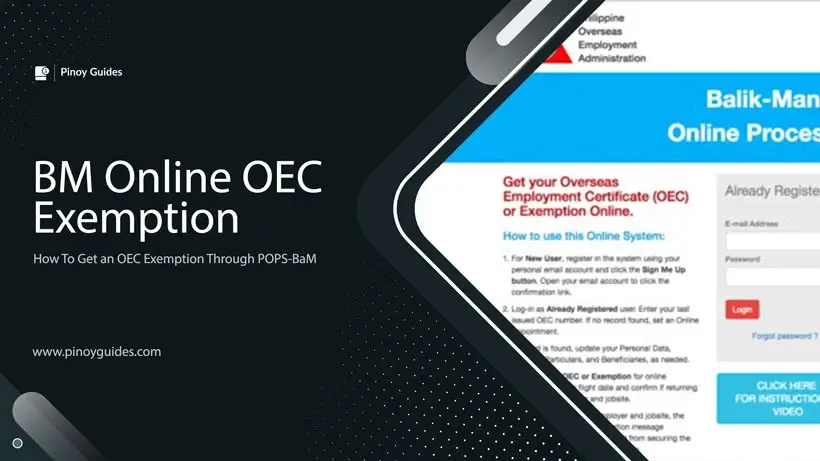
The Overseas Employment Certificate (OEC) is a crucial document for Overseas Filipino Workers (OFWs) leaving the Philippines. It serves as proof that an OFW has undergone the proper documentation process and is under the protection of the Philippine government. This guide will discuss everything you need to know about OEC exemption under the Balik-Manggagawa (BM) Online system.
What is OEC and What is it For?
The OEC is required for all OFWs before they leave the country. It provides an exemption from paying certain fees and taxes at the airport. Each issued OEC is only valid for a single exit from the country and has a 60-day validity from the date of issuance.
Primary Requirements for Obtaining OEC
To obtain the OEC exemption, you need to prepare the following documents:
- Printed online appointment/Balik-Manggagawa information sheet – As a Balik-Manggagawa, you need to present a printed online appointment or Balik-Manggagawa information sheet. This will prove that you have scheduled an appointment online.
- Passport with a validity of at least six months from the date of departure – Ensure that your passport will not expire within six months from your departure date.
- Valid proof of employment or work contract – You need this to prove that you have legitimate employment in the country where you are working.
- Valid work visa, work permit, or equivalent document – This document will prove that you have the legitimate right to work in the country where you are working.
- Payment equivalent to P100 in US dollar (depending on the current exchange rate) – This is the fee for obtaining the OEC exemption. Remember that the amount may change depending on the current exchange rate.
Who Can Be Exempted from Obtaining OEC?
To obtain the OEC exemption, you need to prepare the following documents. Remember that the OEC exemption is for certain categories of OFWs who no longer need to obtain an OEC. These include OFWs who:
- Have a valid employment visa or work permit – This will prove that you have the legitimate right to work in the country where you are working.
- Have served or are currently serving their work contract – This will prove that you are an active OFW working under a legitimate contract.
- Are returning to the same employer and job site and are recorded in the POEA database – This will prove that you are returning to the same employer and job, and that you are already recorded in the POEA database.
How to Apply for OEC Exemption Online?
Steps to Obtain OEC Exemption in POPS-BaM
Here are the steps to obtain the OEC Exemption online:
- Log in to your DMW E-Registration Account – This is the first step to obtain the OEC exemption. If you don’t have an account yet, you need to register first.
- Update your profile – Make sure all the information you put in is correct and complete.
- Select ‘Balik-Manggagawa’ – In your account, select the ‘Balik-Manggagawa’ option located at the top right of your screen.
- Enter your flight date – This is important for the system to determine when you will return to your workplace.
- Answer whether you are a returning Balik-Manggagawa to the same employer, job site, and position or not – This is to determine whether you are qualified for the OEC exemption.
- Print your OEC Exemption – If you are qualified, you can now print your OEC Exemption. This is your proof that you no longer need to obtain an OEC.
Tips and Warnings
- No need to print the BM Exemption Number – In the new system, there is no need to print the BM Exemption Number. This is to speed up the process and reduce paper use.
- Update your profile picture – OFWs are required to update their profile picture in their account. This is to ensure that the information in their profile is updated and correct.
- Log in to the POPS-BaM System every time you return to the Philippines – Every time an OFW returns to the Philippines, they still need to log in to the POPS-BaM System to obtain the OEC exemption. This is to ensure that the government has a record of OFWs returning to the country.
- Get your OEC exemption number no more than 60 days before your departure date – You need to get the OEC exemption number no more than 60 days before your departure date. This is to avoid any problems or delays on the day of departure.
The OEC exemption is an important benefit for qualified Balik-Manggagawa. By using the POPS-BaM system, the process of obtaining the exemption has been made easier. Remember to keep your profile updated and follow the steps to obtain the exemption to avoid any inconvenience when returning to work abroad.
Frequently Asked Questions
1. What should I do if I forgot my email address and password for BM Online or POPS-BaM?
If you forgot your email address and password for BM Online or POPS-BaM, you can ask for help in recovering your account. Just contact their customer service hotline or email their support team.
2. What does it mean if I am returning to the same employer and job site with a previous OEC but I am redirected to the Appointment page?
If you are returning to the same employer and job site with a previous OEC but you are still redirected to the Appointment page, there may be a problem with your records in the system. It is recommended that you contact the customer service of BM Online or POPS-BaM for further assistance.
3. What should I do if the link for the online application of OEC Exemption is not working?
If the link for the online application of OEC Exemption is not working, try to refresh or look for an alternative way. You can also try using a different browser or clearing your browser cache.
4. What should I do if there is an error in my POPS-BaM E-registration?
If there is an error in your POPS-BaM E-registration, you can ask for help in fixing it. Contact their technical support team for further assistance.
5. What should I do if my old records from the BM online system are still not syncing or transferring to the POPS-BaM site?
If your old records from the BM online system are still not syncing or transferring to the POPS-BaM site, you can ask for help on how to apply for the OEC Exemption. Contact their customer service hotline for further information.