
Ensuring a valid Taxpayer Identification Number (TIN) is essential for multiple facets of administrative and financial activities like job applications, opening bank accounts, or setting up investment portfolios.
However, if you find yourself unable to recall your TIN, the process of obtaining a new one isn’t the recommended route. This is because the TIN is a lifetime identifier, irreplaceable by law. Instead, exploring avenues to retrieve a lost or forgotten TIN is advisable.
This article aims to provide insights and methods to assist in verifying or retrieving your TIN. Please note, the content within serves as general guidance and should not be considered a substitute for professional advice in these matters.
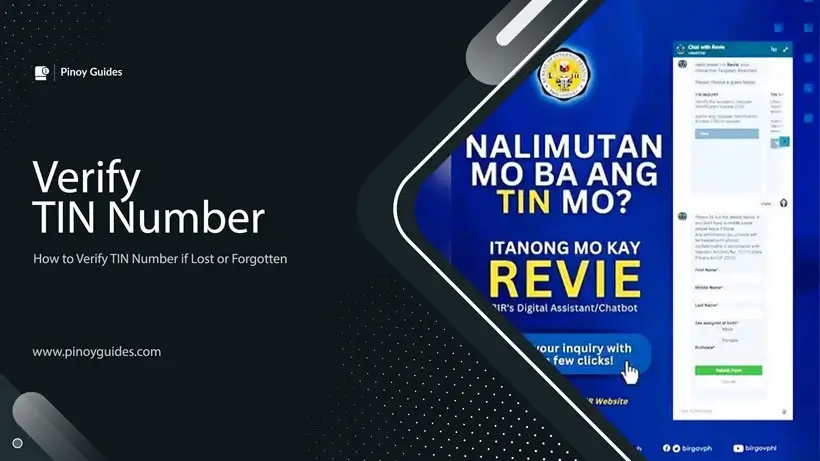
How Can BIR’s Digital Assistant Chatbot, Revie, Help Verify Your TIN?

The Bureau of Internal Revenue (BIR) introduced Revie, a new digital assistant chatbot, on November 10, 2022, following the guidelines outlined in Revenue Memorandum Circular (RMC) 146-20221.
This chatbot, accessible via the BIR’s official website, was specifically designed to streamline various services, including the verification of Taxpayer Identification Numbers (TINs), locating Revenue District Offices (RDOs), and facilitating the reporting of tax-related complaints against businesses.
Revie’s introduction aims to enhance user experience and accessibility for taxpayers seeking assistance and verification concerning their TIN.
Verifying your Taxpayer Identification Number (TIN) using Revie involves a straightforward process outlined in a few simple steps.
- Initially, users need to navigate to the BIR’s official website at bir.gov.ph.
- Upon arrival, the chatbot icon situated at the bottom right corner of the homepage should be selected to initiate interaction with Revie.
- After engaging with the chatbot, opt for the “TIN Inquiry” feature among the options provided.
- Subsequently, fill out the online form with required details such as name, gender, and birthdate, and then proceed to submit the form.
- Once submitted, users should anticipate an agent’s response to their request, requiring a government-issued valid ID for the verification process.
It’s important to note that BIR agents process requests during specific hours, operating from 8 AM to 5 PM on Mondays to Fridays, excluding holidays and non-working days. This limitation highlights the designated operational timeframe for individuals seeking assistance or verification through Revie’s services.
The chatbot serves as an accessible and efficient tool for TIN verification, aiding taxpayers in resolving queries during the BIR’s official working hours.
How Can I Retrieve a Lost or Forgotten TIN Number Online via the BIR Mobile TIN Verifier App (Currently Unavailable)?
In early 2021, the Bureau of Internal Revenue (BIR) unveiled the Mobile Taxpayer Identification Number (TIN) Verifier app, providing a convenient solution for taxpayers to verify or recover their TIN. This application, accessible on the App Store for IOS users and Google Play for Android users, revolutionizes TIN-related queries by offering real-time responses, eliminating the necessity of physically visiting BIR district offices. The app offers distinct functionalities catering to various needs of users.
The Mobile TIN Verifier app facilitates two primary transactions:
- TIN Inquiry: Users seeking to recover a lost or forgotten TIN can input their personal details and perform a verification process by taking a selfie with a valid government-issued ID. This information helps to verify and recover the TIN associated with the provided details.
- TIN Validation: This feature allows users to confirm the validity of a TIN by entering their personal information along with the TIN. To ensure authentication, users need to take a selfie with a valid government-issued ID and upload a copy for verification purposes.
Follow these steps to retrieve your TIN using the latest BIR Tax Verifier app:
1. Download and Install the TIN Verifier Mobile Application on Your Mobile Device
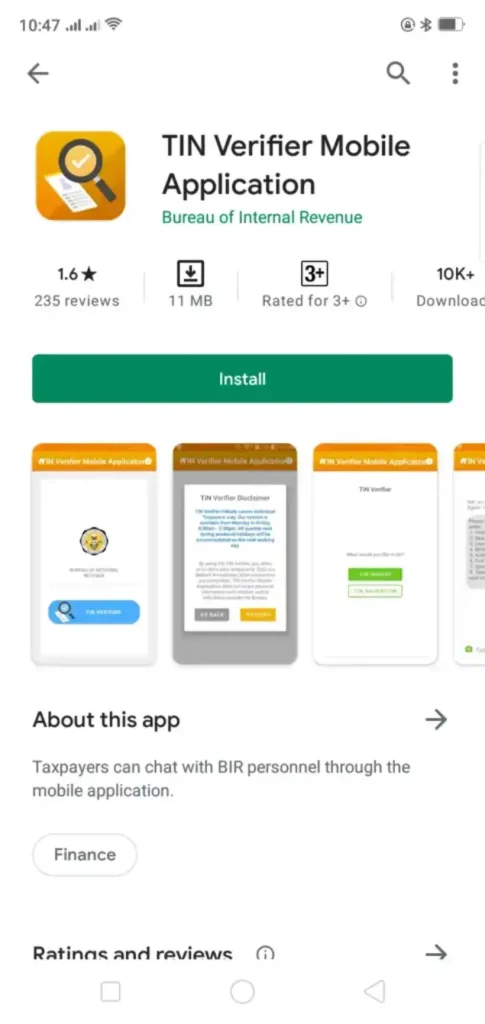
The mobile app is available for download on both Google Playstore and App Store. Additionally, you can download the app by scanning the provided QR code.
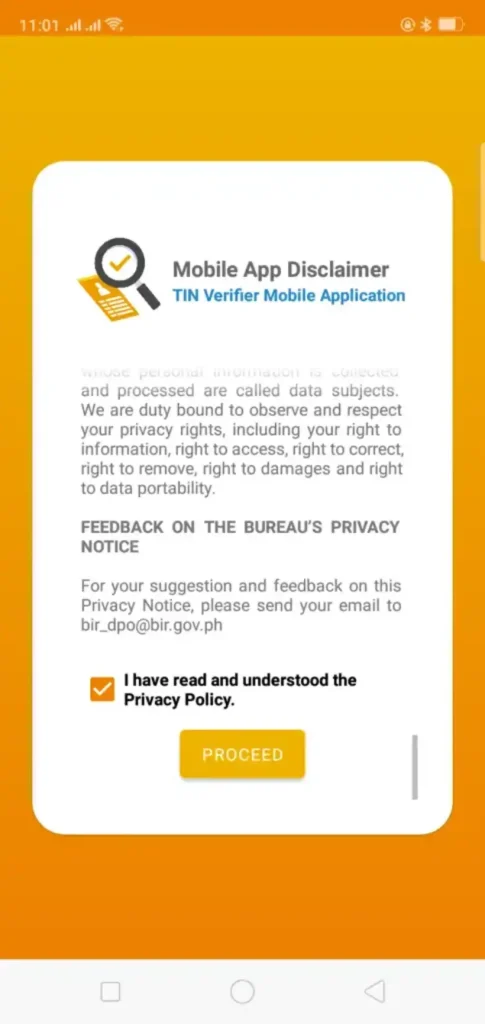
2. Access the App, Review the Privacy Policy, and Select “Proceed”
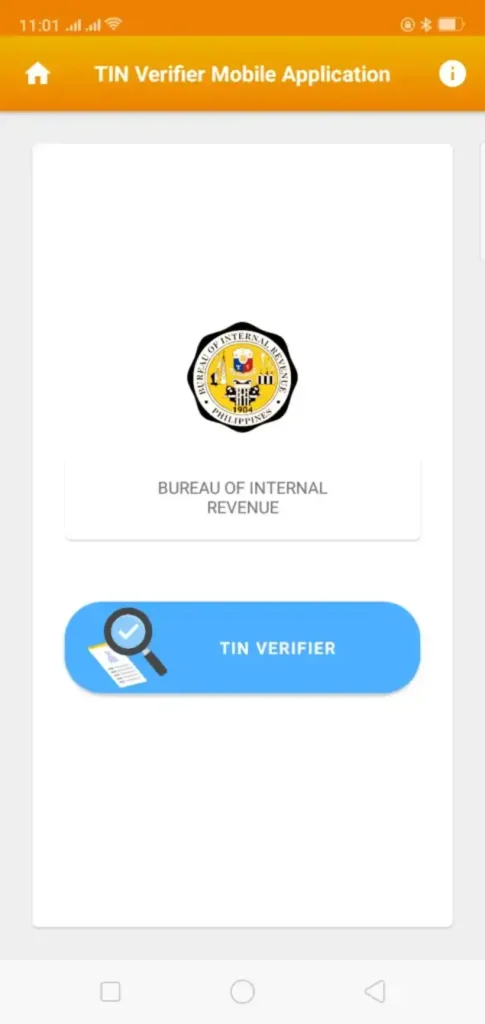
3. Click on the TIN VERIFIER Button
4. Review the Disclaimer and Select “Proceed”
Please acknowledge the disclaimer, which specifies that the app currently exclusively caters to individual taxpayers. Additionally, it operates solely on weekdays, Monday to Friday, from 8 AM to 5 PM. Queries submitted during weekends or holidays will be addressed on the subsequent business day.

5. Choose the TIN INQUIRY Option
Opt for TIN VALIDATION if you possess an active TIN and wish to verify its authenticity.
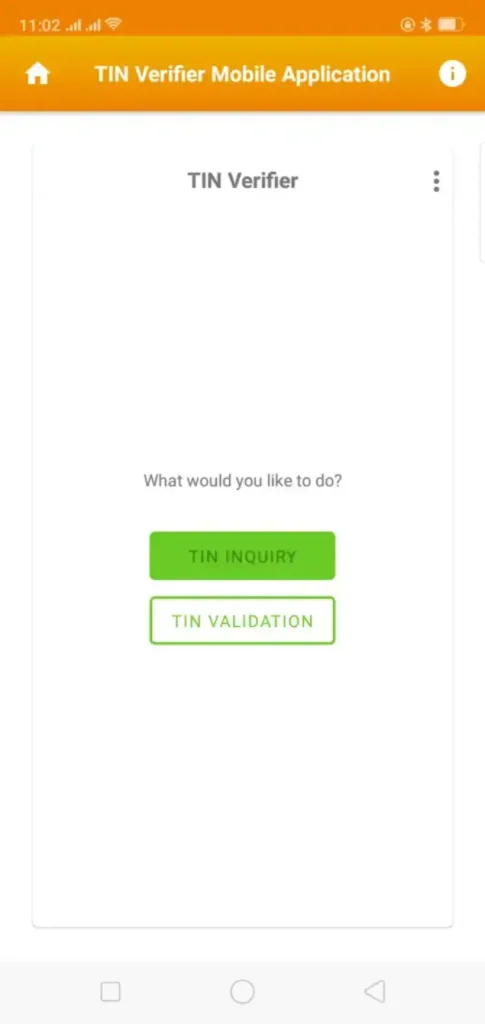
6. Submit the Required Information in Sequence
In the designated chat or message box, enter the following details in the precise order: your first name, middle name, last name, birth date, address, civil status, spouse’s name (if relevant), a selfie of yourself with a valid government-issued ID, followed by a separate photo of the same ID. Should you have chosen TIN Validation, ensure to include the TIN along with the specified information.
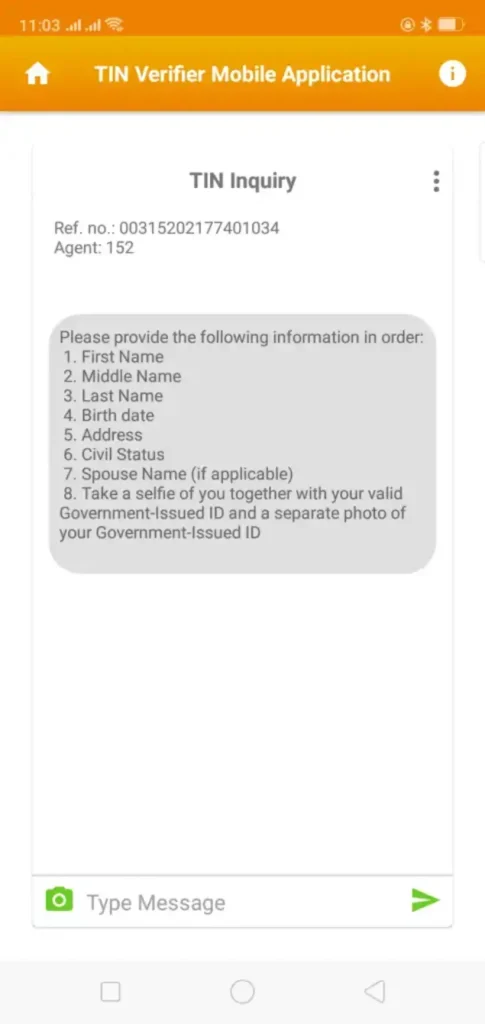
7. Await Real-Time Processing of Your Request by a BIR Representative
You can anticipate a response within a few minutes. However, if there’s no available chat agent, you might need to wait for a few minutes or hours.
Key Points to Keep in Mind When Utilizing the TIN Verifier Mobile Application
Patience is Key During TIN Verification
When using the TIN Verifier Mobile Application, exercising patience is crucial due to the limited number of agents handling the verification process for numerous users’ TIN numbers. The high demand for TIN verification might lead to longer waiting times. It’s advisable to be patient and understand that the verification process might take some time due to the volume of requests.
Optimizing the Verification Process
To streamline the verification process, it’s recommended to allow the app to remain open for at least 10 minutes while waiting for an available agent. It’s important to avoid disconnecting from the internet or using other apps during this waiting period to prevent any interruptions in the connection, which could potentially disrupt the verification process.
Timing and Alternative Options
To enhance the efficiency of the verification process, it’s advisable to utilize the service during weekdays from 8 AM to 5 PM. Starting the verification process early in the morning may result in quicker verification. Some users have reported successful attempts by opening the app 10-15 minutes before 8 AM and clicking the TIN Validation or Inquiry button at 7:59 AM to get ahead in the queue.
Despite the mobile app being a recommended option for TIN validation and inquiries, it’s essential to note that the Bureau of Internal Revenue (BIR) still accepts walk-in TIN validation and inquiries at taxpayers’ respective Revenue District Offices (RDOs).
This provides an alternative method for individuals facing difficulties or extended waiting times with the app, allowing them to physically visit their RDOs for assistance with their TIN verification. This alternative approach offers individuals an additional avenue to address TIN-related concerns in person.
Alternative Methods for Retrieving a Lost or Forgotten TIN Number
Losing or forgetting your Tax Identification Number (TIN) can be an inconvenience, but several alternative methods exist to retrieve this crucial piece of information. These methods can help individuals recover their TIN without solely relying on digital tools or verification services.
1. Check Various Documents
Often, your TIN can be found on various documents such as your TIN card, company ID, Income Tax Return (ITR), or invoices associated with tax-related transactions. If your TIN card is misplaced, these documents might still retain your TIN, serving as a handy alternative resource.
2. Verify with Your Employer
Reaching out to your current or past employer’s Human Resources (HR) or administrative department can be an effective approach. Employers typically maintain employee records, including TIN details. They can assist in retrieving your forgotten TIN, ensuring accuracy and legitimacy.
3. Contact BIR Hotlines
When other methods fail, contacting the Bureau of Internal Revenue (BIR) directly is a viable option. You can request your TIN by calling their hotlines:
- (Trunkline: 8981-7000 / 8929-7676 or
- Customer Assistance Division: 8981-7003 / 8981-7020 / 8981-7030 / 8981-7040 / 8981-7046).
Ensure that you have all necessary personal details at hand for identity verification.
4. Send an Email Inquiry
For less urgent inquiries or if direct phone contact is not feasible, consider sending an email to the BIR. Address your TIN verification request, including pertinent personal details, to contact_us@bir.gov.ph.
For increased efficiency, you may utilize the provided template:
Good Day,
I am kindly requesting your assistance in retrieving my Tax Identification Number (TIN) as I seem to have misplaced it and require it for (specify the purpose). The following are my personal details:
Full Name:
Date of Birth:
Gender:
Residential Address: (Zip Code included, please)
I anticipate a positive response on this matter. Thank you for your attention and assistance.
Best regards,
(Your Full Name)
Adhering to the specified template and subject line in the email could expedite the process.
5. Visit the BIR Revenue District Office (RDO)
If feasible and convenient, consider a personal visit to the Revenue District Office (RDO) where you initially applied for your TIN. Head to the Taxpayers’ General Services or Customer Service counter, presenting valid identification or a birth certificate for identity verification. This direct approach can swiftly resolve your TIN retrieval needs.
These alternative methods offer diverse avenues for individuals to recover their lost or forgotten TIN, allowing for flexibility and multiple options beyond solely relying on digital platforms or services.