
Losing or damaging a driver’s license is an experience that can induce stress and worry. The idea of being without a valid license can be particularly unsettling, as it affects not only our ability to drive legally but also our day-to-day routines. However, it’s important to remember that replacing a lost LTO (Land Transportation Office) license is a relatively simple and efficient process that can usually be completed in just a few hours.
In this guide, we aim to alleviate your concerns and provide you with all the necessary information on the requirements, fees, procedures, and helpful tips for smoothly replacing your driver’s license, making the entire process as stress-free as possible.
How Can I Replace a Lost LTO Student Permit?
If you find yourself in the unfortunate situation of having lost your student permit and need a replacement, the process is relatively straightforward. Lost student permit replacements can be applied for at LTO Licensing Centers or District Offices. These offices not only cater to student permit replacements but also handle various driver’s license transactions.
This convenient arrangement streamlines the procedure for those seeking to replace their lost student permits, allowing them to address their licensing needs efficiently, all in one place. So, whether you’re a new driver in need of a student permit or an experienced driver looking to replace a lost one, the LTO Licensing Centers and District Offices are there to assist you in managing your licensing requirements with ease.
1. Requirements
Replacing a lost student permit with a new one involves specific requirements to establish your identity, report the loss, and initiate the replacement process. Here’s a detailed breakdown of the essential requirements:
Proof of Identity
Proving your identity is a fundamental step in the replacement process to ensure that the new student permit is issued to the correct person. You will need to provide:
- Any Government-Issued ID: This can include your passport, SSS ID, PhilHealth ID, or any other official identification document.
- PSA-Authenticated Birth Certificate: The PSA-authenticated birth certificate is a crucial document to confirm your identity and age.
- Any Legal Document Verifying Age and Identity: This category covers various documents that can serve as proof of identity and age, such as a voter’s ID, postal ID, or other legally recognized identification documents.
Affidavit of Loss
An Affidavit of Loss is a legal document that formalizes the report of a lost student permit. To complete this step:
- Create an Affidavit of Loss Using a Sample Template: You can draft your Affidavit of Loss using a standard template available at the licensing center, or you can use one prepared by a legal expert. This document should include essential details about the lost student permit and the circumstances surrounding its loss.
- Notarization with Assistance from a Notary Public: Alternatively, you can choose to have your Affidavit of Loss notarized with the assistance of a notary public. Typically, notarization services incur a fee, which is approximately Php 100. Be sure to bring a valid ID for identity verification when getting the Affidavit notarized.
Fully Completed Application Form for Driver’s License (ADL)
Completing the Application Form for Driver’s License (ADL) is a mandatory requirement when applying for a replacement student permit. This form collects essential information about the applicant, including personal details and the type of student permit being sought. It is crucial to ensure that the ADL is accurately and fully filled out before submitting your application to avoid delays in the replacement process.
2. Associated Fees
When applying for a replacement student permit, it’s essential to be aware of the associated fees to ensure you’re financially prepared for the process. Here’s a breakdown of the fees you can expect to encounter:
- Certification Fee (Php 100): This fee covers the certification of your application and supporting documents, indicating that they have been reviewed and approved for a replacement student permit.
- Duplicate Fee (Php 50): The duplicate fee is charged for the issuance of a replacement student permit, considering the administrative work and materials required.
- Computer Fee (Php 67.63): The computer fee covers the use of computerized systems and technology in processing your replacement student permit application, streamlining the overall procedure.
Being aware of these fees and ensuring you have the necessary funds available will help facilitate the replacement process without any financial surprises along the way.
3. Step-by-step Guide: Replacing a Lost Student Permit
Replacing a lost student permit involves a systematic process to ensure that you obtain a new permit without any hassles. This step-by-step guide breaks down the process into easy-to-follow stages:
Step 1: Obtain Checklist and Application Form
- Visit the LTO Office: Begin the process by visiting your local Land Transportation Office (LTO) branch.
- Get the Checklist and Application Form: Approach the Customer Service Counter at the LTO office or access these documents online, if available.
Step 2: Get a Queue Number
Receive a Queue Number: After obtaining the necessary forms and checklist, you will be assigned a queue number. Take a seat and wait for your turn to be called.
Step 3: Submit Requirements
- Go to the Evaluator Counter: When your number is called, proceed to the Evaluator Counter, which is typically Window 2.
- Submit Your Requirements: Hand over your documentary requirements for the replacement of your lost student permit. The staff will review these documents for authenticity and completeness.
Step 4: Signature and Picture
- Visit the Window for Signature and Photo Capture: After your requirements are accepted, move to the window where your signature and photograph will be captured.
- Receive Fee Details: At this stage, the LTO staff will inform you about the fees you need to pay for the replacement process.
Step 5: Payment
- Proceed to the Cashier: Head to the cashier to make payment for all the necessary fees.
- Obtain the Official Receipt: After making the payment, you will receive an official receipt as proof of payment.
Step 6: Claim Student Permit Replacement
- Visit the Releasing Counter: Go to the Releasing Counter at the LTO office.
- Present the Official Receipt: Provide the official receipt as evidence of payment.
- Receive Your Student Permit Replacement: Once your payment is confirmed, you will receive your new student permit replacement or a temporary license if the new permit isn’t available immediately.
- Complete the Release Form: Before leaving the Releasing Counter, complete the Release Form with your name and signature to finalize the process.
Following these step-by-step instructions ensures a smooth and efficient replacement process for your lost student permit, allowing you to get back on the road legally and hassle-free.
How Do I Replace a Lost LTO License (Professional or Non-Professional)?
When it comes to replacing a lost driver’s license, the process is made convenient through the option to apply at LTO Licensing Centers or District Offices. Notably, these establishments are not only equipped to handle lost driver’s license replacements but also facilitate various other driver’s license transactions.
This dual capability streamlines the process for individuals seeking to replace their lost licenses, ensuring they can efficiently address their licensing needs at these central locations. Whether you hold a professional or non-professional driver’s license, these offices are here to assist you with the seamless management of your driver’s licensing requirements.
1. Requirements
Replacing a lost driver’s license involves specific requirements designed to establish the applicant’s identity, report the loss, and initiate the replacement process. Here’s a comprehensive breakdown of the necessary requirements:
Basic Requirements
- Proof of Identity:
- Any government-issued ID: Present an official identification document, such as a passport, SSS ID, or PhilHealth ID.
- PSA-authenticated Birth Certificate: A PSA-authenticated birth certificate is essential for confirming your identity and age.
- Any Legal Document Verifying Age and Identity: This category encompasses various documents recognized by law that can serve as proof of identity and age.
- Affidavit of Loss:
- An Affidavit of Loss is a legal document used to formalize the report of a lost driver’s license. It should contain essential details about the lost license and the circumstances surrounding its loss.
- Fully Completed Application Form for Driver’s License (ADL):
- Ensure the Application Form for Driver’s License (ADL) is accurately and fully filled out, providing personal details and specifying the type of license being sought.
- Law Enforcement Clearance (for applications outside Metro Manila):
- If you’re applying for a lost driver’s license replacement outside Metro Manila, a Law Enforcement Clearance may be required as part of the process.
Additional Requirements (if applicable)
- For License Renewal:
- A medical examination certificate may be needed for license renewal. Some regions have transitioned to online-only or electronically transmitted medical examination certificates to streamline the renewal process.
- For Delinquent License:
- If your driver’s license is classified as delinquent due to records of one or more traffic violations, additional requirements come into play. This typically involves the completion of required examinations as part of the delinquency resolution process.
A driver’s license is classified as delinquent when it contains records of one or more traffic violations committed by the license holder. These comprehensive requirements ensure a thorough and systematic approach to the replacement process, promoting accuracy, security, and legal compliance throughout.
2. Associated Fees
When replacing a lost driver’s license, it’s essential to be aware of the associated fees to ensure you are financially prepared for the process. Here’s a detailed breakdown of the fees you can expect to pay for a lost driver’s license replacement:
- Replacement Fee (Php 225): The replacement fee covers the cost of issuing a new driver’s license to replace the lost one.
- Certification Fee (Php 100): This fee is for the certification of your application and supporting documents, confirming their authenticity and completeness.
- Clearance Fee (Php 30): The clearance fee is charged as part of the administrative process for lost driver’s license replacement.
- Duplicate Fee (Php 50): The duplicate fee is incurred for the issuance of a replacement driver’s license, covering administrative work and materials.
- Computer Fee (Php 67.63): The computer fee is used to cover the costs associated with the use of computerized systems and technology in processing your replacement driver’s license application, streamlining the overall procedure.
- Revision of Records (Php 100, only applicable to duplicates with modifications): This fee is required when the replacement driver’s license includes modifications or changes to your existing records.
The total cost for replacing a lost driver’s license, which encompasses all these fees, amounts to Php 472.63. Being aware of these fees will help you plan your budget accordingly, ensuring a smooth and hassle-free replacement process.
3. Step-by-step Guide for Replacing a Lost Driver’s License
Replacing a lost driver’s license involves a well-structured process to ensure a smooth and efficient experience. Here’s a step-by-step guide to help you navigate the process seamlessly:
Step 1: Obtain Requirements and Application Form
- Get the Checklist of Requirements and Application Form: Start by obtaining the Checklist of Requirements and the Driver’s License Application Form. You can get these documents either at the Customer Service Counter at your local LTO office or access them online if available.
- Fill Out the Form in Advance: To expedite the process, complete the Driver’s License Application Form before visiting the LTO office. This ensures that you have all the necessary information ready for your application.
Step 2: Get a Queue Number
Receive a Queue Number: Upon arriving at the LTO office, you will receive a queue number. Take a seat and patiently wait for your number to be called.
Step 3: Submit Requirements
- Visit the Evaluator Counter: When your queue number is called, proceed to the Evaluator Counter, typically located at Window 2.
- Submit Required Documents: Hand over the necessary documents for your lost driver’s license replacement. LTO staff will review these documents for authenticity and completeness, ensuring they meet the necessary criteria.
Step 4: Photo and Signature
- Proceed to the Photo-Taking/Signature Area: After your documents are accepted, proceed to the area for photo capture and digital signature.
- Get Fee Details: At this stage, the LTO staff will provide you with the list of fees you need to pay for the replacement.
Step 5: Payment
- Visit the Cashier: Make your way to the cashier to settle all the required fees associated with the replacement process.
- Obtain the Official Receipt: After making your payment, you will receive an official receipt, which serves as proof of payment.
Step 6: Claim Driver’s License Replacement
- Go to the Releasing Counter: Head to the Releasing Counter at the LTO office, where you can collect your new Professional or Non-Professional Driver’s License Card. If the new license isn’t available immediately, you may receive a temporary license in the meantime.
- Present Your Official Receipt: To receive your new driver’s license, present the Official Receipt you received from the cashier as evidence of payment.
- Complete the Release Form: Before leaving the Releasing Counter, complete the Release Form by writing your full name and affixing your signature. This final step formalizes the completion of the replacement process.
Following these steps ensures that your lost driver’s license is efficiently replaced, allowing you to regain your driving privileges without unnecessary delays or complications.
How Can I Replace a Lost Student Permit or Professional/Non-Professional Driver’s License Online?
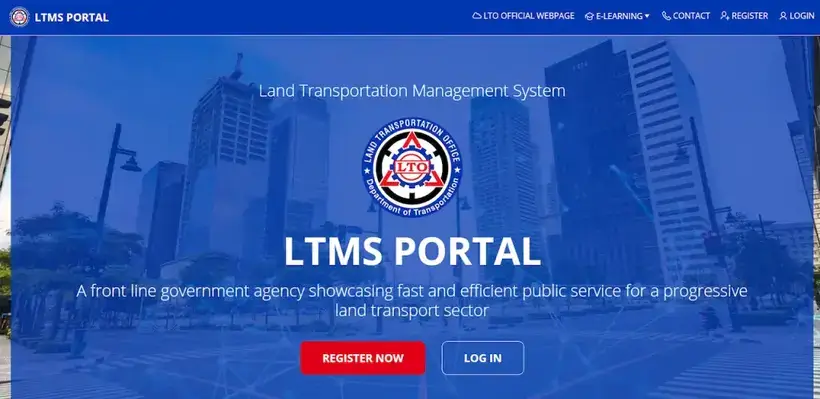
Replacing a lost driver’s license has been made more convenient with the implementation of the Land Transportation Management System (LTMS), the LTO’s online appointment platform. Motorists seeking to replace their lost licenses can now follow a straightforward process. Initially, they should secure an Affidavit of Loss, which formalizes the report of a lost license.
Once this essential document is in hand, the next step is to set an appointment online through LTMS. This scheduling system ensures a streamlined and efficient replacement process, allowing individuals to select a suitable time and date for their visit to an LTO branch, reducing wait times and minimizing the administrative hassle associated with lost driver’s license replacement.
Steps to Set an LTO Appointment for Driver’s License Replacement
Setting an LTO appointment for driver’s license replacement is a convenient and efficient way to streamline the process. Follow these step-by-step instructions to schedule your replacement appointment using the Land Transportation Management System (LTMS):
Step 1: Access LTMS and Create an Account
Visit the LTMS Website: Start by accessing the LTMS website, where you can create an account or log in if you already have one.
Step 2: Choose License Type and Application Type
- Select “Licensing” on Home Screen: After logging in or creating your account, navigate to the Home Screen and select “Licensing.” Ensure that you read and accept the terms and conditions provided.
- Choose License Type: On the Licensing page, select the type of license you are replacing, which can be a Student’s Permit, Professional Driver’s License, or Non-Professional Driver’s License. Click “Next” to proceed.
- Select “Duplicate” as Application Type: Indicate “Duplicate” as the Application Type to specify that you are applying for a replacement license.
Step 3: Upload Notarized Affidavit of Loss
Upload Affidavit of Loss: Upload a notarized Affidavit of Loss, which is a crucial document to report the loss of your driver’s license officially. Ensure that this document is properly notarized to meet the LTO’s requirements.
Step 4: Review Replacement Fees and Apply
Review Replacement Fees: Take a moment to review the replacement fees associated with your lost driver’s license. Once you are familiar with the costs, proceed by clicking “Apply.”
Step 5: Pick Appointment Date and LTO Branch
- Choose Appointment Date: The next step involves selecting an appointment date and time that suits your schedule. This is a significant advantage of the LTMS system, as it minimizes waiting times.
- Select LTO Branch: Choose the LTO branch where you intend to pick up your replaced driver’s license.
Step 6: Make Payment
Pay Replacement Fees: Pay the required replacement fees through GCash or Bancnet channels, ensuring that your payment is successfully processed.
Step 7: Visit Chosen LTO Branch
Attend Your Appointment: On the designated appointment date, visit the LTO branch you selected for license pickup. Present any necessary documentation or the Official Receipt if required.
By following these steps, you can efficiently set an appointment for your driver’s license replacement, making the process more convenient and reducing the time spent waiting in queues at the LTO office.
How Can I Replace a Mutilated or Damaged Driver’s License in the Philippines?
This guide is specifically designed for individuals facing the challenge of severely damaged or torn driver’s licenses, often resulting from incidents like flooding or fire. When you need to replace a Mutilated Driver’s License, the process is made straightforward.
Simply begin by applying at any LTO Licensing Center or District Office that handles Driver’s License transactions, ensuring that you have access to the assistance and resources required for the replacement process. This initial step sets the stage for a hassle-free procedure to obtain a new, undamaged driver’s license, restoring your legal driving privileges in the Philippines.
1. Requirements
To ensure a successful replacement of a mutilated driver’s license, it’s crucial to meet the necessary requirements. Here’s a breakdown of the key prerequisites for Mutilated Driver’s License Replacement:
- Proof of Identity: A valid identification document, such as a passport, SSS ID, or PhilHealth ID, is required to establish your identity.
- Notarized Affidavit of Mutilation: You must provide a notarized Affidavit of Mutilation, a legal document formalizing the report of the damaged driver’s license and detailing the circumstances of the mutilation.
- Fully Completed Application Form for Driver’s License (ADL): The Application Form for Driver’s License (ADL) must be accurately and completely filled out, providing essential personal details and specifying the type of license you are applying for.
- The Mutilated Driver’s License: The damaged or torn driver’s license itself, as evidence of the mutilation, is a crucial requirement for the replacement process.
- For License Renewal (if applicable): If you are simultaneously renewing your driver’s license, a medical examination certificate may be required. Some regions have adopted online-only or electronically transmitted medical examination certificates to streamline the renewal process, depending on your location and circumstances.
Ensuring that these requirements are met will help expedite the process of replacing your mutilated driver’s license, allowing you to regain your driving privileges with ease and efficiency.
2. Associated Fees
Replacing a mutilated driver’s license is accompanied by specific fees that you need to be aware of to ensure a seamless replacement process. Here’s a detailed breakdown of the fees associated with Mutilated Driver’s License Replacement:
- Replacement Fee (Php 225): The replacement fee covers the cost of issuing a new driver’s license to replace the damaged one.
- Certification Fee (Php 100): This fee is for the certification of your application and supporting documents, signifying their approval and authenticity.
- Clearance Fee (Php 30): The clearance fee is part of the administrative process for the replacement of a mutilated driver’s license.
- Duplicate Fee (Php 50): The duplicate fee is charged for the issuance of a replacement driver’s license, which includes administrative work and materials.
- Computer Fee (Php 67.63): This fee covers the cost of using computerized systems and technology for processing your replacement driver’s license application, streamlining the overall procedure.
- Revision of Records (Php 100, only for duplicates with revisions): If your replacement driver’s license includes revisions or modifications to your existing records, this fee is applicable to cover the cost of updating and revising your records.
The total cost for replacing a mutilated driver’s license, which encompasses all these fees, amounts to Php 472.63. Being aware of these fees helps you plan your budget accordingly, ensuring a smooth and hassle-free replacement process.
3. Step-by-step Guide for Mutilated Driver’s License Replacement
Replacing a mutilated driver’s license requires a well-structured process to ensure a smooth and efficient experience. Here’s a step-by-step guide to help you navigate the process effectively:
Step 1: Obtain Application Form and Requirements Checklist
- Get the Driver’s License Application Form and Checklist: Start by obtaining the Driver’s License Application Form and the Checklist of Requirements. You can acquire these documents either from the Customer Service Counter at your local LTO office or access them online, depending on your preference.
- Fill Out the Form in Advance: To expedite the process, fill out the Driver’s License Application Form before visiting the LTO office. Completing the form in advance ensures that you have all the necessary information ready for your application.
Step 2: Get a Queue Number
Receive a Queue Number: Upon arriving at the LTO office, you will receive a queue number. Take a seat and patiently wait for your number to be called.
Step 3: Submit Requirements
- Visit the Evaluator Counter: When your queue number is called, proceed to the Evaluator Counter, typically located at Window 2.
- Submit Necessary Documents: Hand over the required documents for your mutilated driver’s license replacement. LTO staff will meticulously review these documents for authenticity and completeness to ensure they meet the necessary criteria.
Step 4: Photo and Signature
- Proceed to the Photo-Taking/Signature Area: After your documents are accepted, proceed to the area designated for photo capture and digital signature.
- Get the List of Assessment Fees: During this step, the LTO staff will provide you with the list of assessment fees that you need to pay. Your photo and digital signature are already on file, streamlining this aspect of the process.
Step 5: Payment
- Visit the Cashier: Make your way to the cashier when your number is called to settle the required fees for the replacement.
- Obtain the Official Receipt: After making the payment, you will receive an Official Receipt, serving as proof of payment.
Step 6: Claim Driver’s License Replacement
- Go to the Releasing Counter: Proceed to the Releasing Counter at the LTO office to collect your new Professional or Non-Professional Driver’s License Card. If the new license isn’t available immediately, you may receive a temporary license in the interim.
- Present Your Official Receipt: To receive your new driver’s license, present the Official Receipt you received from the cashier as evidence of payment.
- Complete the Release Form: Before leaving the Releasing Counter, complete the Release Form by writing your name and affixing your signature. This final step formalizes the completion of the replacement process.
Following these steps ensures that your mutilated driver’s license is efficiently replaced, allowing you to regain your driving privileges without unnecessary delays or complications.
Tips and Warnings for Driver’s License Replacement
When navigating the process of driver’s license replacement, there are essential tips and warnings to consider to ensure a smooth and secure experience:
Tips
- Avoid LTO Satellite Offices in Malls (DLRC): License replacements are not processed at LTO satellite offices located in malls, commonly known as LTO Driver’s License Renewal Centers (DLRC). Ensure that you visit a full-fledged LTO Licensing Center or District Office for replacement services.
- Affidavit of Loss: When reporting a lost driver’s license, you can draft an Affidavit of Loss yourself or obtain one from an attorney’s office, lawyer, or a notary public. Be prepared to provide a valid ID and explain the reason for the loss. The cost of having an Affidavit of Loss notarized typically ranges from Php 100 to Php 250, so it’s essential to budget for this expense.
Warnings
File a Police Report for Stolen Driver’s License: If your driver’s license is stolen, it is highly advisable to file a police report. This is a crucial step to protect yourself from potential identity theft and to prevent the stolen license from being used for fraudulent activities or other crimes. A police report can be instrumental in safeguarding your identity and mitigating risks associated with the theft of your driver’s license.
By following these tips and heeding the warnings, you can effectively navigate the driver’s license replacement process, ensuring that you receive your replacement license securely and without any undue complications.
Additionally, taking steps to protect your identity in the event of a stolen license is a critical measure to safeguard your personal information and prevent potential misuse of your lost or stolen driver’s license.
Frequently Asked Questions
Navigating the process of driver’s license replacement can bring about several common queries. Here are some frequently asked questions to help clarify the process:
1. Is the Process for Stolen Driver’s Licenses the Same?
Yes, the process for replacing a lost driver’s license is the same for stolen driver’s licenses. Whether your driver’s license was lost or stolen, the replacement process follows a similar set of steps and requirements.
2. What Should I Do If It’s Been a Few Years Since I Lost My Driver’s License?
If your lost driver’s license has already expired at the time of application, you should apply for a new one instead. It’s essential to renew your driver’s license promptly to maintain your legal driving status.
If you’re uncertain about the validity of your lost driver’s license or have specific questions about your situation, consider visiting the nearest LTO Office and inquiring at the Customer Service Counter, where staff can provide guidance based on your circumstances.
These frequently asked questions address common concerns related to lost or stolen driver’s licenses and the process for replacement. Understanding these key points can help individuals seeking replacement licenses navigate the process more efficiently and confidently.